
GD-101 : Adobe Phtoshop CC for Graphics Designers
- 18Training hours
- 6Lectures
- 300Egyptian pounds
- 10Students maximum

Taught from the certified Adobe® curriculum Teaching follows Adobe's own certified curriculum, and once the course is over you can put yourself forward for the Adobe exams and earn the international certificates



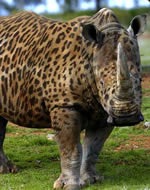
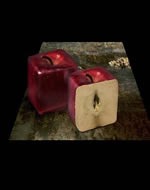
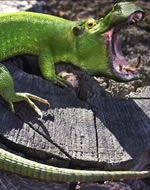
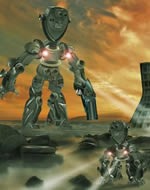

What the training programme covers
Adobe Photoshop CC is the largest, most widely used and best known application in graphic design and in advertising, whether for print or for the web, and it is the first name in the field — there is no advertising agency and no television station without it. It is also the strongest tool there is for retouching and compositing images and correcting colour. We begin with the fundamentals and then move on to the advanced material.
- Essential tasks
- Starting in Camera Raw instead of Photoshop
- Using Undo and the History panel
- Removing a person from the background with masking
- Changing the color of an object
- Swapping heads in a family portrait
- Understanding resolution
- Removing blemishes with the Spot Healing Brush and the Patch tool
- Sharpening and perfecting your photos with Smart Sharpen
- Photoshop workspace
- The Photoshop workspace
- Organizing Photoshop panels
- Changing the Photoshop view
- Working with tabbed documents
- Working with the Zoom tool
- Preferences overview
- Rulers, grids and guides in Photoshop CC
- Screen modes
- An overview of Camera Raw
- Layers
- Layers panel explained
- Aligning images within multiple layers
- Reducing chaos with layer groups
- Backgrounds and layers
- Merging layer techniques
- The basics of blend modes
- Understanding layer styles
- Generating a flexible drop shadow
- Create cool effects with layer groups in Photoshop
- Exploring layer basics
- Image adjustments
- Reading a histogram and using the Info panel
- Increasing midtone contrast with Curves
- Shifting colors with Hue/Saturation
- Controlling which layers are affected by an adjustment layer
- Lightening and darkening image areas with Dodge and Burn
- Converting color to black and white
- Creating traditional darkroom toning effects
- Selecting parts of an image
- Basic selection techniques
- Essential selections
- The Magic Wand and Quick Selection tools
- Building and editing a mask
- Selecting soft edge objects with Refine Edge
- Working with Refine Edge
- Cropping and transforming
- Image resizing in Photoshop
- Cropping and straightening an image
- Cropping to ratios, fixed sizes and resolution
- Understanding canvas size
- Crop to add canvas
- The relationship between pixels and image sizing
- Making non-destructive transformations with Smart Objects
- Resizing an image to a smaller size
- Retouching
- Using Content-Aware Fill to remove distractions
- Removing dust and scratches
- Fixing rips and creases
- Painting, drawing, and type
- Vector shape tools
- Draw and align shapes
- Cropping and merging shapes
- Combine shapes
- Working with vector-based shape layers
- Brushes
- Creating a paragraph style
- Design improvements in Photoshop CC
- Type rendering in Photoshop CC
- Filters
- Smart filters and the filter gallery
- Controlling a filter's opacity
- Sharpening an image with Unsharp Mask
- Using the new three-part Blur Gallery
- Creating a soft glow with the Gaussian Blur filter
- Creative uses for Liquify
- Using the Camera Shake Reduction filter
- Sharpening in Photoshop CC
- Printing and sharing photos
- Exploring the print dialog
- Printing smaller size proofs
- Creating contact sheets
- Saving images for the web in Photoshop CC
Meet the instructors on this course
Graphic designer and media consultant
Wael Shaaban Hafez is one of the finest designers in the Arab world and has won a long list of local and international awards. He has more than ten years' experience in graphic design and commercial photography, works to a professional standard across the whole Adobe suite, and has produced work for major Arab and European companies as well as advising several foreign firms as a media consultant. His body of original design work is considerable.
A message for the trainer? Send it from here.A message for the trainer? Send it from here.
What else comes with this course
-

Sit the course again, free -
Drinks cafeteria -

A room worth sitting in -

Support that continues
Reserve your seat on this course
Enter your details now and we will call you to fix a date and take you through the booking.
Have a question ?
We are glad to help you get a better grasp of things, so do not hesitate to contact us if you have any questions at all.