
VE-101 : المجموعة التدريبية للمونتاج السينمائي
- 39ساعه تدريب
- 13محاضره
- 3ساعات مساعده
- 950جنيه مصري
- 10طالب بحد اقصى

سجل الآن بهذا البرنامج التدريبي
واحصل على الخصومات والعروض التاليه ولفترة محدوده
25%خصم على المواعيد الصباحيه
712 جنيه بدلا من 950
25%خصم على مواعيد بعد الظهيره
712 جنيه بدلا من 950
10%خصم على المواعيد المسائيه
855 جنيه بدلا من 950
* هذه العروض لفتره محدوده, وهي عرضه للتغيير او الإلغاء دون اشعار مسبق. مع ملاحظه ان الحجز الفعلي يجب ان يتم داخل الاكاديميه
** المواعيد الصباحيه تبدأ من الساعه 12:30 الى 3:30 ظهرا, وبعد الظهيره من 4 الى 7 مساء, والمواعيد المسائيه من 7:30 الى 10:30 مساء
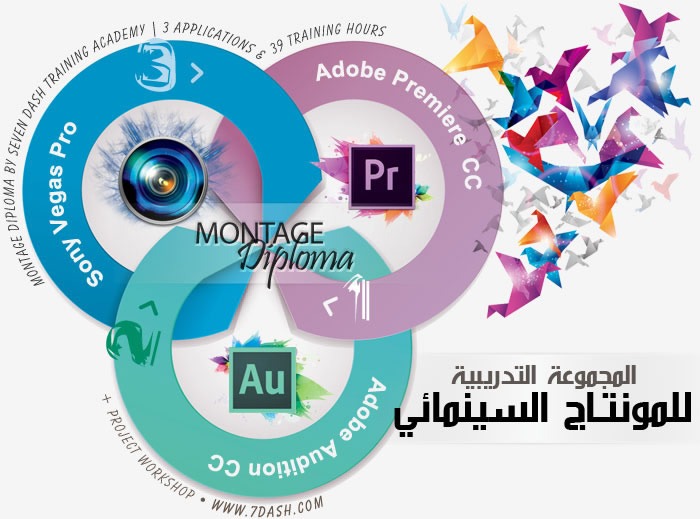
المجموعة التدريبية المتكامله للمونتاج السينمائي
احترف العمالقة الثلاث للمونتاج وتحرير الفيديو والمقاطع السينمائيه
محتوى البرنامج التدريبي
برنامج أدوبى برمير Adobe premiere CC
- Essential Tasks
- Importing media
- Selecting shots
- Editing to the timeline
- Refining the edit
- Adding transitions
- Adding and adjusting titles
- Adding and adjusting music
- Outputting your show
- Premiere Pro workspace
- An overview of the interface
- Keyboard shortcuts in Premiere Pro
- Ingest
- Create a new project
- Import video and audio files
- Import projects from Final Cut Pro and Avid
- Import directly into the Project panel
- Expanded format support
- Import and relink media in Premiere Pro
- Editing
- Using the Project panel
- Using the Timeline Track controls
- Add clips to a sequence
- Lift and Extract, Delete, and Ripple-Delete
- Create subclips in Premiere Pro
- Nesting a sequence
- Trimming on the Timeline in Premiere Pro
- JKL Trimming
- Using Link Media to quickly locate & relink offline files
- Merge clips automatically using audio waveforms
- Detect duplicate frames automatically
- Multicamera workflows with Premiere Pro
- Titles
- Creating and editing titles
- Create closed captions within Premiere Pro
- Transitions and effects
- Applying basic video and audio transitions
- Modifying transitions
- Applying video effects
- Applying audio effects
- Modifying effects
- Adjust playback speed over time
- Understanding how compositing works
- Layer graphics, clips, and backgrounds in a composition
- Using motion effects to composite clips
- Create a looping, animated background
- Try out three keying effects
- Create animated fly-in for a video title sequence with Photoshop
- Audio
- Understanding audio editing
- Normalizing audio and making sample-level edits
- Using Clip Mixer to adjust volume and pan
- Clean up Premiere Pro audio clips with Audition
- Round-trip a soundtrack from Premiere Pro to Audition for final mixing
- Color
- Correct color and create stylized looks with SpeedGrade
- Color-correct Premiere Pro sequences in SpeedGrade with Direct Link
- Apply Lumetri color-correction effects to your sequences within Premiere
- Output
- Add clips to a sequence
- Apply effects on export with Adobe Media Encoder
- Export closed captions from Premiere Pro to Adobe Media Encoder
- Make a DVD screener of your video project
برنامج أدوبى اوديشن Adobe Audition CC
- Essential tasks
- Import audio files and browsing media
- Record an audio file
- Make selections for audio editing
- Manually adjust audio level
- Add fades to audio
- Use the Spectral Frequency Display to clean up your audio
- Pitch Correction
- Setting up multitrack sessions
- CD Burning and Importing
- Audition workspace
- Meet 64-bit Adobe Audition
- Comparing audio file and multitrack session workflows
- Audio editing
- Visually preview audio edits as you apply them
- Using the Phase Analysis panel
- Enhanced multitrack editing in Audition CC
- Conform to broadcast standards with the ITU Loudness Radar panel
- Hardware controllers and recordable automation
- Noise reduction and audio cleanup
- Visually identifying noises
- Noise reduction and sound removal strategies
- Cleaning up background noise: Noise and hiss reduction effects
- Using the Click/Pop Eliminator and DeClicker effects
- Audio effects
- An overview of the effects in Audition
- Applying effects to individual files
- Applying effects in a multitrack session
- Using the Sound Remover effect
- Using Pitch Bender and Pitch Shifter effects
- Using the Stereo Expander
- Using the Scientific Filter effect
- Generate Noise in your audio files
برنامج سوني فيجس Sony Vegas Pro
- Introduction videos and articles to get you started using Vegas Pro
- Adding Media
- Playing Your Project
- Basic Edits
- Markers and Zoom
- Working With Still Images
- Titles and Text
- Transitions
- Video Filters and Effects
- Track Motion
- Working With Audio
- Delivering Your Project
المتطلبات السابقه
الحقيبه التدريبيه
تعرف على المدربين بهذه الدوره
مصصم جرافيك ومستشار إعلامي
وائل شعبان حافظ هو احد امهر المصممين العرب وقد حصل على العديد من الجوائز المحليه والعالميه. وهو صاحب خبره طويله تزيد عن عشر سنوات في مجال التصميم الجرافيكي والتصوير التجاري, يقوم وائل بالعمل باحترافيه على جميع برامج شركة Adobe العالميه وقد عمل لكبرى الشركات العربيه والاوروبيه. بالاضافه الى عمله كمستشار اعلامي لعدد من الشركات الاجنبيه, وهو صاحب عدد كبير من التصميمات الاصيلة
لديك رسالة للمدرب؟ ارسلها من هنا.لديك رسالة للمدرب؟ ارسلها من هنا.
مزايا اضافيه مع هذه الدوره
-

امكانية الحضور اكثر من مره مجانا -
كافيتريا مشروبات -

بيئة دراسيه مريحه -

دعم مستمر -

ساعات مساعده خاصه
احجز مقعدك بهذه الدوره
ادخل بياناتك الآن وسوف يتم الاتصال بك هاتفيا لتنسيق موعد الدوره وابلاغك بتفاصيل الحجز.
لديك استفسار ؟
يسعدنا كثيرا مساعدتك في استيعاب افضل للأمور, فلا تترد مطلقا في الاتصال بنا في حال كانت لديك اية اسئله او استفسارات.